

Tags allow you to control which WBGT alert actions are visible to specific worksites. When a tag is assigned to a worksite, workers only see the alert actions associated with that tag.
Add a tag
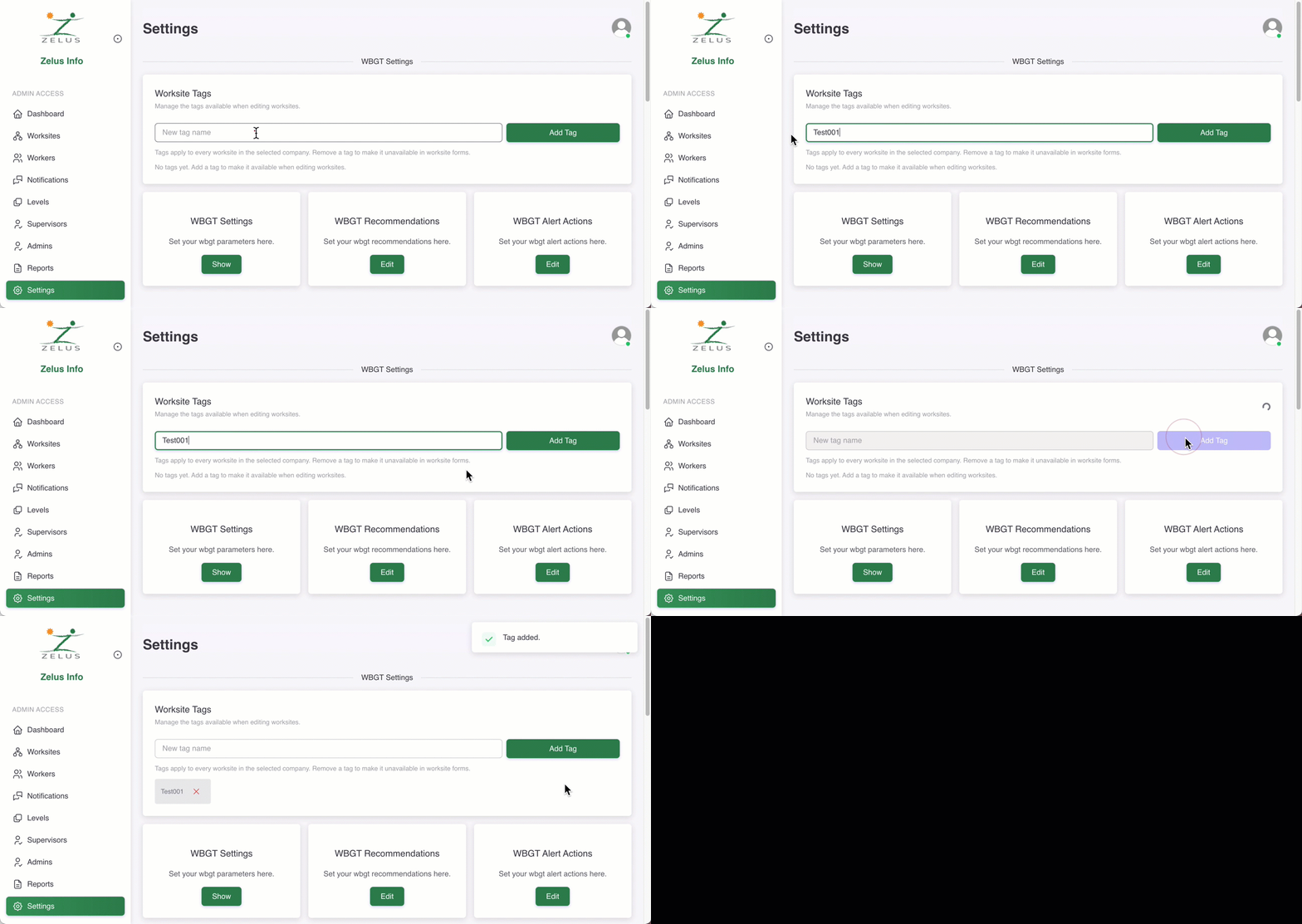
To add a new worksite tag, follow these steps:
In the left-side panel, go to Settings.
In the WBGT Settings, type a new tag name and select the Add Tag button.
Assign a tag to a worksite
Once you create a tag in the WBGT Settings, it becomes available for selection when editing a worksite.
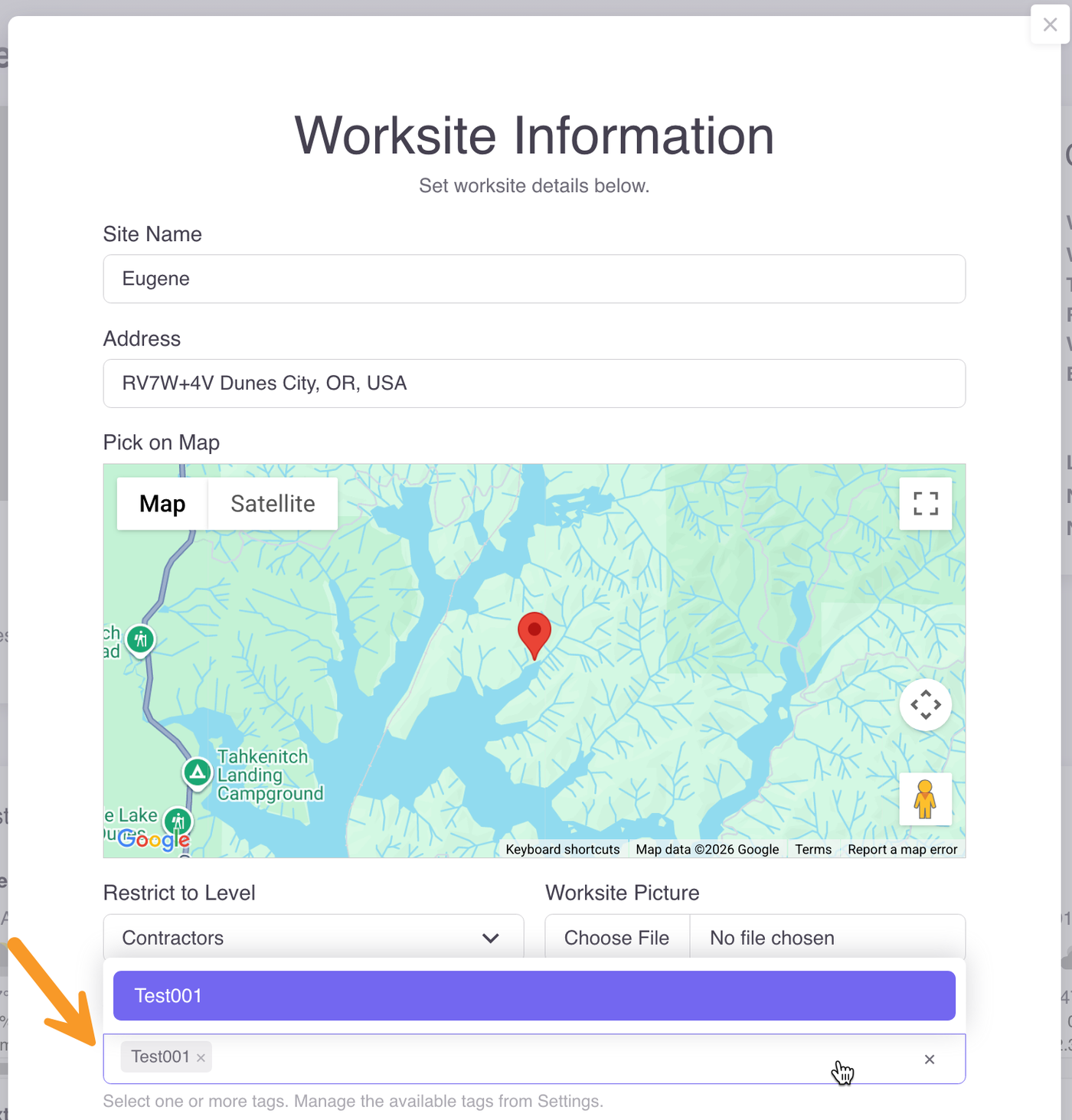
ℹ️ To make a tag unavailable in worksite forms, remove it from the tags list in the WBGT Settings.