The NWS Settings allow you to configure how National Weather Service (NWS) alerts—such as tornado warnings and severe weather advisories— are received and managed within your organization.
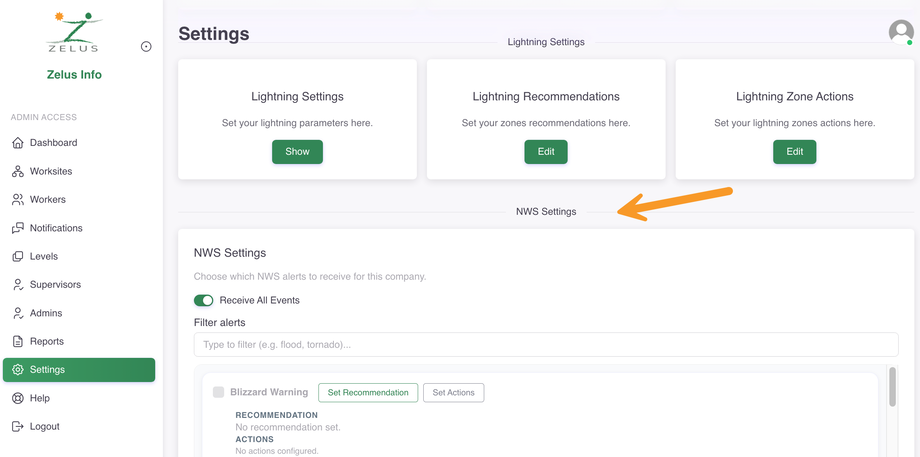
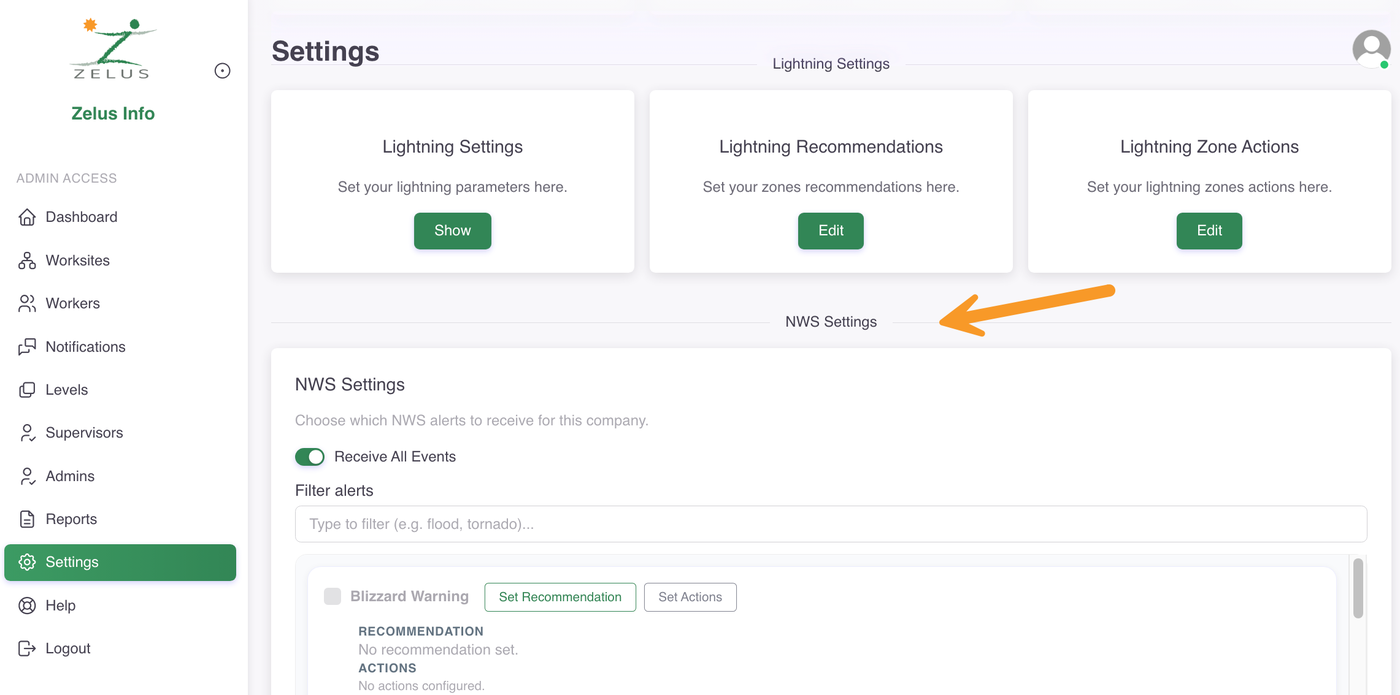
To open the NWS Settings, follow these steps:
In the left-side panel, go to Settings.
Scroll down to the NWS Settings section.
Set your alerts
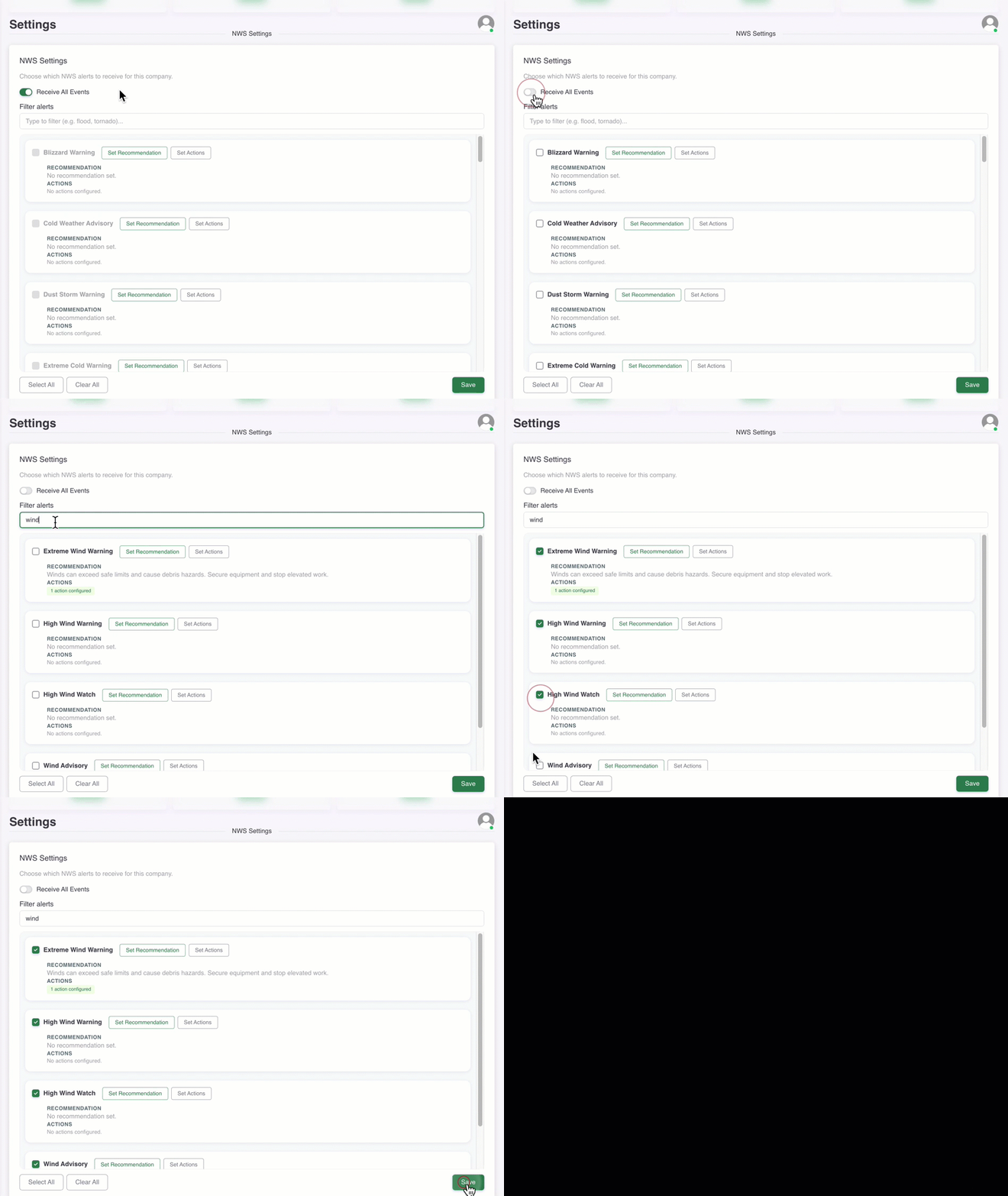
By default, your organization receives all NWS alerts recommended by Zelus. To select only specific alerts, follow these steps:
Turn off the Receive All Events toggle.
Choose the ones relevant to you. You can use the filter to search for alerts by keyword.
Select the Save button.
NWS alerts list
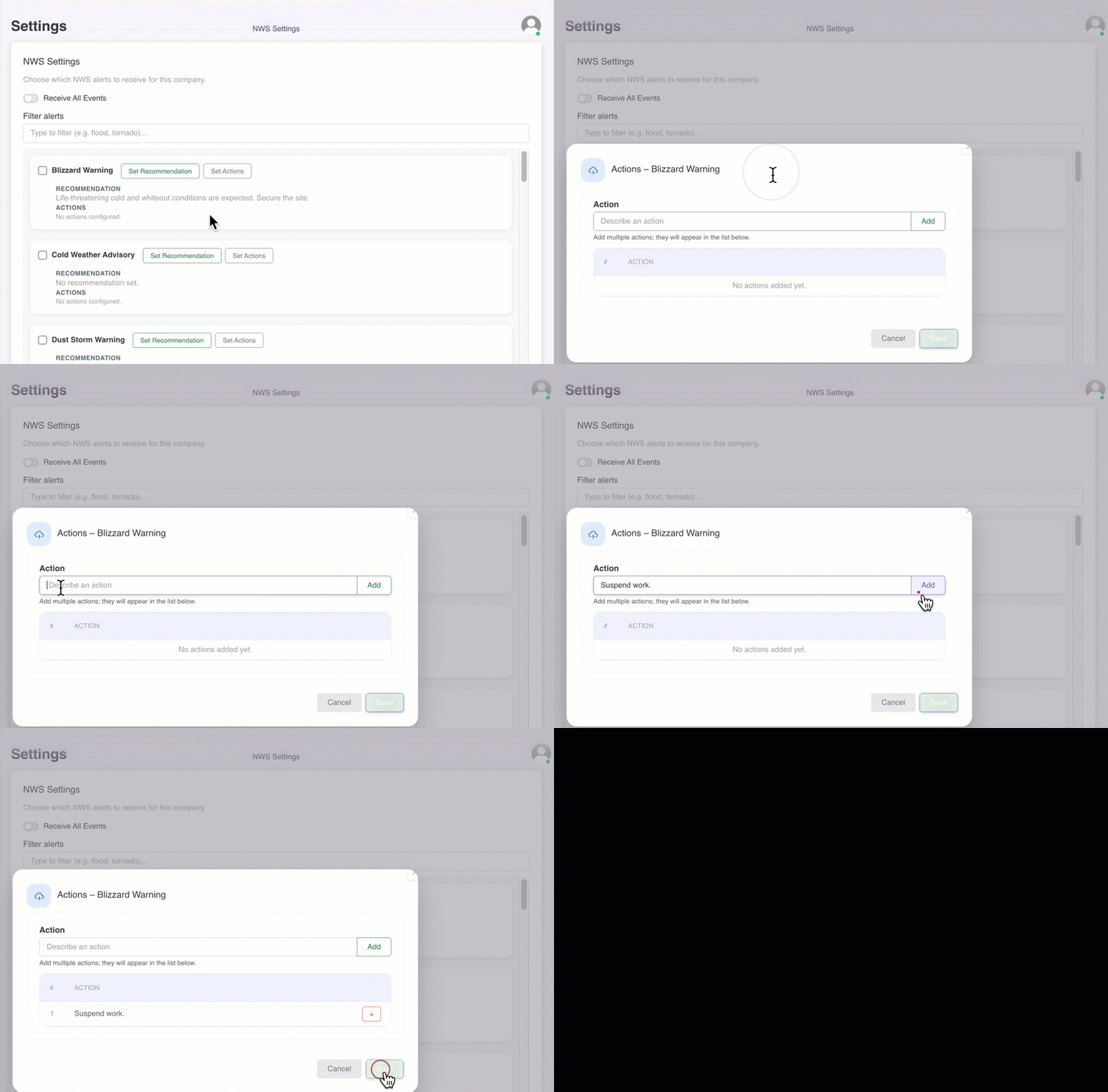
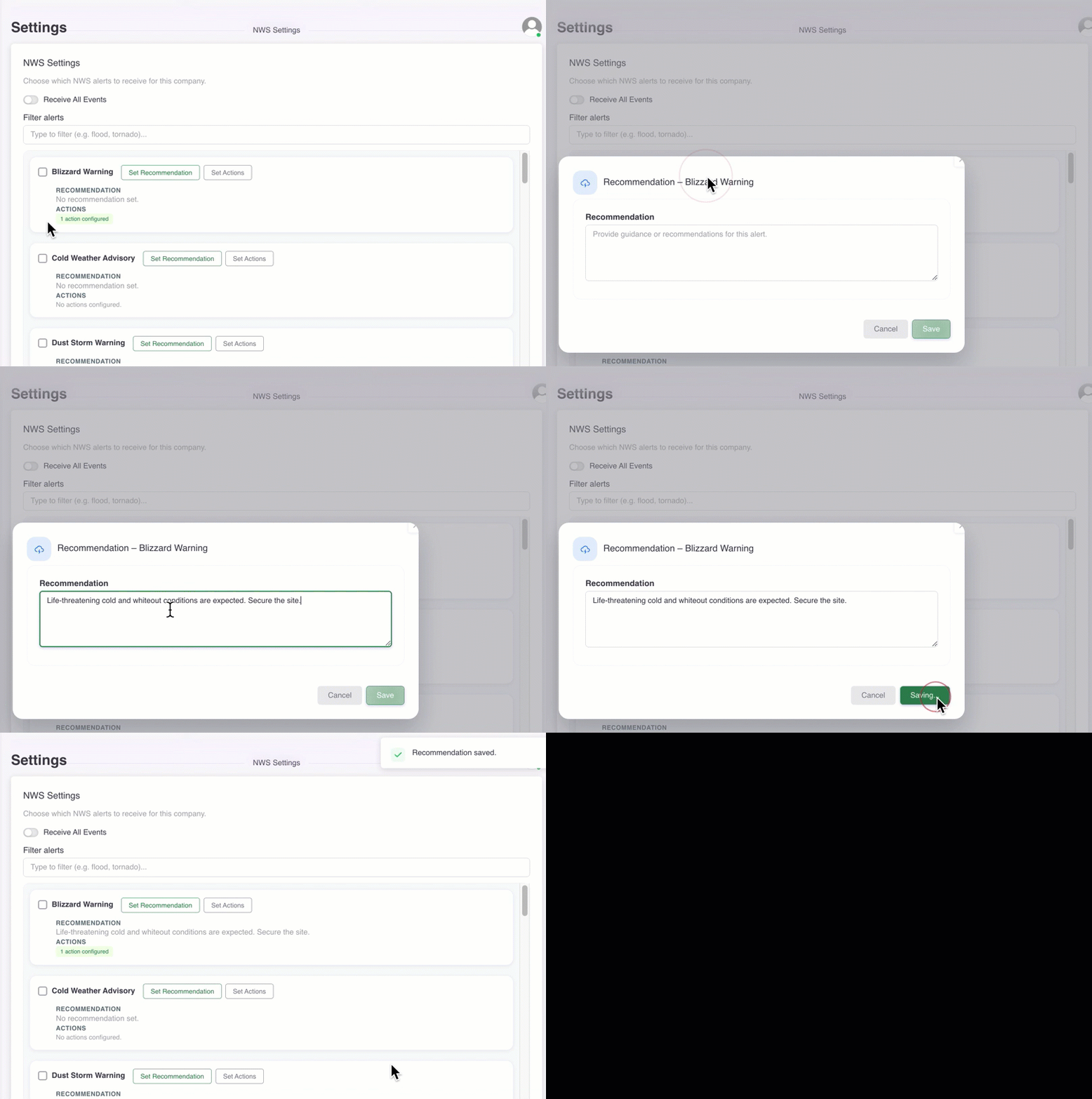
Set Recommendation: Select button to enter the recommendation that will be sent when the NWS alert is activated.
Set Actions: Select button to enter specific actions that will be associated with the NWS alert.